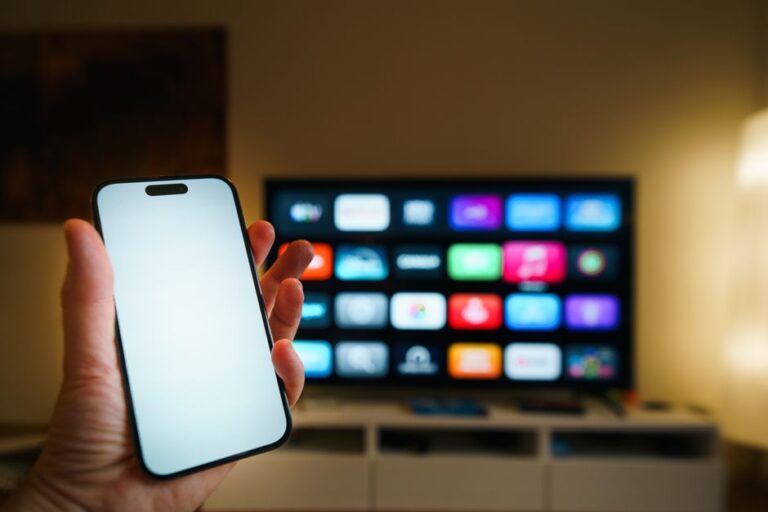
How to Fix a TV Remote That Is Not Working, From Dead Batteries to Stuck Buttons
To fix a tv remote that is not working, swap in fresh batteries, wipe the battery contacts, and re-pair the remote to the TV, then check the sensor with a phone camera to confirm the infrared light still fires. Here is how to fix a tv remote that is not working, step by step, starting with the causes that fix themselves in under a minute.
Nine times out of ten the problem is power, contact, or a stuck button, not a dead remote. Working through the checks below in order finds the fault fast and saves you from buying a replacement you did not need.
Start With Power and Contacts
Weak batteries are the single most common cause, and they fail in a misleading way. The remote may still light up or send a weak signal, so it looks alive while barely reaching the TV. Replace the batteries before anything else.
While the cover is off, look at the metal contacts and the spring terminals. Corrosion or a dull film blocks the current. Rub each contact with a dry cloth, or a pencil eraser for stubborn spots, then reseat the batteries and confirm they match the plus and minus markings.
Tip: Roll the batteries in their slots with your finger. If the remote flickers back to life, a contact was loose or dirty, and a quick clean fixes it for good.
Check the Infrared Signal With a Phone
Every standard remote sends an invisible infrared beam. Your phone camera can see that beam even though your eyes cannot, which turns a guessing game into a clear yes-or-no test.
- Open the camera app on any phone. The front selfie camera detects infrared best on many models.
- Point the front of the remote at the lens from a few inches away.
- Press and hold any button while watching the screen.
- Look for a flashing light at the tip of the remote on the screen.
A visible flash means the remote is transmitting and the fault is at the TV or the pairing. No flash means the remote itself is not sending, so the problem is internal, likely batteries, a broken emitter, or a stuck button holding the circuit down.
Free a Stuck Button and Clean Inside
Sticky buttons are a quiet culprit. When one button stays pressed, it can jam the whole remote so no other command registers. Spilled soda, dust, and years of thumb oil are the usual reasons.
Press every button in turn and feel for any that stays down or feels mushy. If you find one, that stuck key is likely your fault. For a deeper clean, open the remote, wipe the rubber pad and the circuit board with a barely damp cloth or a swab with a little rubbing alcohol, and let it dry fully before reassembling.
Warning: Let every part dry completely before you put the batteries back in. Sealing in moisture can corrode the board and turn a small fix into a dead remote.
Re-Pair or Reset the Remote

Smart TV remotes that use Bluetooth or radio, not just infrared, can lose their pairing. When that happens the buttons feel fine and the battery is good, but nothing reaches the TV. Re-pairing rebuilds the link.
The exact combination varies by brand, but the pattern is the same across most TVs.
| Remote type | How to reset or re-pair |
|---|---|
| Infrared only | Pull batteries, hold power 15 seconds, reinsert batteries |
| Bluetooth / smart | Hold the pairing or home button until the TV shows a pairing prompt |
| Voice remote | Hold the mic and back buttons together near the TV |
Point the remote at the TV and stay within a few feet while pairing. If the TV never detects it, try the remote near a different TV or a universal remote against your TV to confine the fault to one device.
Note: A blocked line of sight also mimics a broken remote. Make sure nothing sits in front of the TV’s sensor window, since even a soundbar edge can absorb the signal.
When to Replace the Remote
If the phone camera shows no infrared flash after fresh batteries, cleaning, and a reset, the emitter or board has likely failed. At that point a replacement is the practical move.
You have two good options. A brand-matched replacement restores every function including voice and smart buttons. A universal remote costs less and works across devices, though setup takes a few minutes of entering codes. Many people also keep a remote app on their phone as a free backup that works over the same network.
Frequently Asked Questions
Why does my remote work sometimes but not always? Intermittent behavior almost always points to weak batteries or a loose contact. Replace the batteries and clean the terminals, and the drop-outs usually stop.
How do I know if the remote or the TV is broken? Use the phone camera test. If the remote flashes infrared but the TV ignores it, the TV sensor or pairing is at fault, not the remote.
Can I fix a remote after a liquid spill? Often yes. Open it, clean the board and rubber pad with a little rubbing alcohol, dry every part completely, then reassemble and test.
Do I need to point a smart remote at the TV? Bluetooth remotes do not need line of sight, but infrared ones do. During pairing, stay close and aim at the TV to be safe.
My batteries are new but nothing works. What now? Confirm the batteries face the right way, clean the contacts, run the camera test, and re-pair. If there is still no infrared flash, the remote itself has failed.